%22%3E%3Cpath%20d%3D%22M22.917059%2C9.3123641L25.43714%2C17.663866L27.955452%2C9.3123617L30.922102%2C9.3123617L33.442169%2C17.663866L35.963985%2C9.3123617L38.874596%2C9.3123617L34.890476%2C22.443415L31.918562%2C22.443415L29.407253%2C14.12346L26.885426%2C22.443415L23.913528%2C22.443415L19.950422%2C9.3123617L22.917059%2C9.3123641ZM50.648335%2C21.118393C52.140423%2C19.905538999999997%2C52.690331%2C18.259778%2C52.690331%2C18.259778L49.336666%2C18.259778L49.326145%2C18.272044C48.6992%2C19.032709%2C47.818314%2C19.562015000000002%2C46.842865%2C19.693468C44.918228%2C19.952863%2C43.170448%2C18.790837%2C42.624062%2C17.011871L53.012554%2C17.003104999999998C53.012554%2C17.003104999999998%2C53.245483%2C15.988307%2C53.021313%2C14.747413L52.988052%2C14.563382C52.345333%2C11.242057800000001%2C49.36993%2C8.882956499999999%2C45.933952%2C9.0669875C42.496212%2C9.2510195%2C39.70295%2C12.0412807%2C39.512051%2C15.483535C39.284393%2C19.567276%2C42.674839%2C22.935917%2C46.764038%2C22.667757C47.918125%2C22.592388%2C49.320896%2C22.19804%2C50.648335%2C21.118393ZM42.680107%2C14.563382C43.224735%2C13.0490694%2C44.68354%2C12.0114851%2C46.308701%2C12.0114851C47.933887%2C12.0114851%2C49.390945%2C13.0490665%2C49.937336%2C14.563382L42.681839%2C14.563382L42.680107%2C14.563382ZM67.69342%2C14.896389C67.681145%2C14.481006%2C67.642632%2C14.090162%2C67.579575%2C13.7256031C67.03669%2C11.0878215%2C64.698753%2C9.098537%2C61.884464%2C9.058225199999999C61.60603%2C9.058225199999999%2C61.339832%2C9.0739999%2C61.084137%2C9.100289799999999C60.047398%2C9.224729499999999%2C59.094719%2C9.612071%2C58.296127%2C10.1957116C58.194557%2C10.2833457%2C58.099998%2C10.3762355%2C58.007172%2C10.4726343L58.007172%2C9.3123641L55.098312%2C9.3123641L55.098312%2C22.443415L58.022934%2C22.443415C58.022934%2C22.443415%2C58.026428%2C15.359098%2C58.026428%2C15.343325C58.02993%2C13.5065165%2C59.562294%2C12.0307665%2C61.408127%2C12.0307665C63.253963%2C12.0307665%2C64.749542%2C13.5082712%2C64.789825%2C15.343325L64.79332%2C15.343325L64.79332%2C22.443415L67.700409%2C22.443415L67.700409%2C15.189087C67.700409%2C15.089187%2C67.696915%2C14.992788%2C67.69342%2C14.896389ZM18.372526%2C13.2348528C18.372526%2C8.157349100000001%2C14.260557%2C4.040311564%2C9.1871405%2C4.040311564C4.1137228%2C4.040311564%2C0%2C8.157349100000001%2C0%2C13.2348528C0%2C18.312358%2C4.1137228%2C22.429392%2C9.1871405%2C22.429392C10.399014%2C22.429392%2C11.554851%2C22.192783%2C12.614367%2C21.765127L11.075002%2C19.097554000000002C10.479573%2C19.290354%2C9.8456116%2C19.395505999999997%2C9.1871405%2C19.395505999999997C5.7931881%2C19.395505999999997%2C3.0314398%2C16.63154%2C3.0314398%2C13.2348528C3.0314398%2C9.8381624%2C5.7931881%2C7.074192%2C9.1871405%2C7.074192C12.58109%2C7.074192%2C15.342837%2C9.8381624%2C15.342837%2C13.2348528C15.342837%2C14.598434%2C14.898015%2C15.858609%2C14.144976%2C16.880418L13.560053%2C15.86562C13.482993%2C15.732415%2C13.339392%2C15.648287%2C13.185282%2C15.648287L11.654673%2C15.648287C11.500564%2C15.648287%2C11.356962%2C15.730662%2C11.279905%2C15.86562L10.891122%2C16.538645000000002C10.814066%2C16.673600999999998%2C10.814066%2C16.838354000000002%2C10.891122%2C16.97156L11.404244%2C17.86016L11.919115%2C18.752274999999997L13.439214%2C21.383049L14.046904%2C22.43465L14.055662%2C22.43465C14.055662%2C22.43465%2C17.344536%2C22.418877%2C17.344536%2C22.418877L15.754387%2C19.661915999999998C17.376059%2C18.003885%2C18.376034%2C15.73592%2C18.376034%2C13.2330971L18.372526%2C13.2348528ZM91.291718%2C4.040311564L91.291718%2C22.499498L94.221588%2C22.499498L94.221588%2C4.040311564L91.291718%2C4.040311564ZM121.05447%2C9.3123641L121.05447%2C16.386167C121.05447%2C18.107295%2C119.94243%2C19.849456%2C117.81638%2C19.849456C115.96879%2C19.849456%2C114.72716%2C18.536698%2C114.72716%2C16.584215999999998L114.72716%2C9.3123641L111.79726%2C9.3123641L111.79726%2C16.633292C111.79726%2C21.093859%2C114.6904%2C22.681776%2C117.39783%2C22.681776C118.83565%2C22.681776%2C120.19632%2C22.068344%2C121.17878%2C21.007975L121.17878%2C22.427639L123.98436%2C22.427639L123.98436%2C9.3123641L121.05447%2C9.3123641ZM109.78858%2C15.870879C109.78858%2C19.633876%2C106.74137%2C22.683531%2C102.98142%2C22.683531C99.221443%2C22.683531%2C96.174248%2C19.633876%2C96.174248%2C15.870879C96.174248%2C12.1078854%2C99.221443%2C9.058228%2C102.98142%2C9.058228C106.74137%2C9.058228%2C109.78858%2C12.1078825%2C109.78858%2C15.870879ZM106.82719%2C15.870879C106.82719%2C13.7483902%2C105.1022%2C12.0220022%2C102.98142%2C12.0220022C100.86064%2C12.0220022%2C99.135643%2C13.7483902%2C99.135643%2C15.870879C99.135643%2C17.99337%2C100.86064%2C19.719754000000002%2C102.98142%2C19.719754000000002C105.1022%2C19.719754000000002%2C106.82719%2C17.99337%2C106.82719%2C15.870879ZM139.45152%2C4.040311564L139.45152%2C22.427647L136.61623%2C22.427647L136.61623%2C21.488211C135.52171%2C22.240103%2C134.19772%2C22.68178%2C132.77042%2C22.68178C129.01048%2C22.68178%2C125.96327%2C19.632125000000002%2C125.96327%2C15.869125C125.96327%2C12.1061306%2C129.01048%2C9.0564728%2C132.77042%2C9.0564728C134.19772%2C9.0564728%2C135.52171%2C9.4981475%2C136.61623%2C10.250046300000001L136.61623%2C4.040311564L139.45152%2C4.040311564ZM136.61444%2C15.870879C136.61444%2C13.7483902%2C134.88948%2C12.0220022%2C132.76868%2C12.0220022C130.6479%2C12.0220022%2C128.92291%2C13.7483902%2C128.92291%2C15.870879C128.92291%2C17.99337%2C130.6479%2C19.719754000000002%2C132.76868%2C19.719754000000002C134.88948%2C19.719754000000002%2C136.61444%2C17.99337%2C136.61444%2C15.870879ZM86.395157%2C16.351111C85.389984%2C18.166885999999998%2C83.533615%2C19.386748%2C81.40934%2C19.386748C78.215027%2C19.386748%2C75.626656%2C16.63154%2C75.626656%2C13.2330999C75.626656%2C9.8346596%2C78.215027%2C7.0794525%2C81.40934%2C7.0794525C83.642189%2C7.0794525%2C85.579102%2C8.4272609%2C86.542305%2C10.400775L89.31279%2C9.187923C87.882004%2C6.1189854%2C84.876831%2C4%2C81.40934%2C4C76.560066%2C4%2C72.614449%2C8.1433263%2C72.614449%2C13.2348528C72.614449%2C18.326376%2C76.560066%2C22.469706%2C81.40934%2C22.469706C84.761269%2C22.469706%2C87.680626%2C20.490934%2C89.163918%2C17.586748L86.39344%2C16.352866L86.395157%2C16.351111Z%22%20fill%3D%22%23000000%22%20fill-opacity%3D%221%22%20style%3D%22mix-blend-mode%3Apassthrough%22%2F%3E%3C%2Fg%3E%3C%2Fsvg%3E)
Replicate motion and look
- Character portrayal: Replicate a character's appearance from a reference image or video. If the reference is a video, the model can also replicate voice timbre.
- Multi-character interaction: Compose scenes with up to five characters for natural dialogue and interaction.
- Multi-shot narrative: Maintain character consistency across shots with intelligent multi-shot scheduling.
- Voice cloning (wan2.7): Provide a
reference_voiceaudio file to set the voice timbre independently from reference videos.
Supported models
| Model | Features | Input | Output |
|---|---|---|---|
wan2.7-r2v Recommended | Audio sync, multi-character, voice cloning, first-frame control, media array input | Text, image, video, audio | 720P or 1080P, 2-15s, 30 fps, MP4 (H.264) |
| wan2.6-r2v-flash | Video with or without audio, single or multi-character, multi-shot narrative, audio-video sync. Fast and cost-effective. | Text, image, video | 720P or 1080P, 2-10s, 30 fps, MP4 (H.264) |
| wan2.6-r2v | Video with audio, multi-role reference-to-video, multi-shot narrative, audio-video sync | Text, image, video | 720P or 1080P, 2-10s, 30 fps, MP4 (H.264) |
Prerequisites
Get a DashScope API key from the Qwen Cloud. Set it as an environment variable:
How it works
Reference-to-video tasks run asynchronously:
1
Submit a task
POST your model, prompt, reference URLs, and parameters. The API returns a
task_id.2
Poll for results
GET the task status using the
task_id. When the status is SUCCEEDED, the response includes a URL to the generated video.| Task status | Description |
|---|---|
PENDING | Task is queued |
RUNNING | Video is being generated |
SUCCEEDED | Generation complete; video URL available in output.video_url |
FAILED | Generation failed; check message for details |
Getting started
Submit a reference-to-video task and poll for the result.
- curl (wan2.7)
- curl (wan2.6)
Wan 2.7 uses the Step 2: Get the result using the task IDReplace
media array to provide references. Use Video N or Image N in the prompt to reference characters (numbered separately by type).Step 1: Submit the task{task_id} with the task_id value returned by the previous API call.Key differences from wan2.6: wan2.7 uses
media array instead of reference_urls, characters are referenced as Video 1/Image 1 (not character1), uses resolution+ratio instead of size, supports reference_voice for voice cloning, and watermark defaults to false.Parameters
wan2.7-r2v
| Parameter | Type | Required | Description |
|---|---|---|---|
model | string | Yes | "wan2.7-r2v" |
input.prompt | string | Yes | Up to 5,000 characters. Use Video 1/Image 1 to reference characters by their order in the media array (images and videos are counted separately). |
input.media | array | Yes | 1-5 items. Each has type (reference_image, reference_video, or first_frame) and url. |
input.negative_prompt | string | No | Up to 500 characters. Content to exclude. |
input.reference_voice | string | No | URL to an audio file (WAV/MP3, 1-10s, max 15 MB) for voice cloning. Overrides audio from reference videos. |
parameters.resolution | string | No | "720P" or "1080P" (default). |
parameters.ratio | string | No | "16:9" (default), "9:16", "1:1", "4:3", "3:4". Ignored when first_frame is provided. |
parameters.duration | integer | No | 2-15 (images only) or 2-10 (with video). Default: 5. |
parameters.prompt_extend | boolean | No | Rewrite prompt via LLM. Default: true. |
parameters.watermark | boolean | No | Default: false. |
parameters.seed | integer | No | 0 to 2,147,483,647. |
Character referencing (wan2.7)
Each media item maps to a character identifier based on its position. Images and videos are counted separately:
wan2.6 models
| Parameter | Type | Required | Description |
|---|---|---|---|
model | string | Yes | "wan2.6-r2v-flash" or "wan2.6-r2v" |
input.prompt | string | Yes | Text prompt describing the scene. Reference characters as character1, character2, etc., matching the order of reference_urls. |
input.reference_urls | array | Yes | Up to 5 URLs pointing to reference images or videos. Each reference must contain a single character. |
parameters.size | string | No | Output resolution. Example: "1280*720" (16:9). See the API reference for all options. |
parameters.duration | integer | No | Output video length in seconds. |
parameters.audio | boolean | No | true for audio, false for silent video. Default: true. Silent video is supported only by wan2.6-r2v-flash. |
parameters.shot_type | string | No | "multi" for multi-shot switching or "single" for a fixed perspective. |
parameters.watermark | boolean | No | true to add a watermark. |
Reference input limits
| Type | Maximum count | Notes |
|---|---|---|
| Images | 5 | People, objects, or backgrounds |
| Videos | 3 | Best for character or object references. Avoid videos of backgrounds or empty scenes. |
| Total (images + videos) | 5 | Combined limit across all references |
Character referencing (wan2.6)
Each reference URL maps to a character identifier based on its position in the reference_urls array:
Multi-character interaction
Compose scenes with up to five characters for natural dialogue and interactions -- interviews, conversations, tutorials, and more.
Supported models: All models.
Set shot_type to multi for dynamic multi-shot switching, or single for a fixed perspective.
Example: Four-reference scene
Prompt: "character2 sits on a chair by the window, holding character3, and plays a soothing American country folk song next to character4. character1 says to character2: 'that sounds great'"
| Input | Type | Reference |
|---|---|---|
| wan-r2v-role1.mp4 | Video | character1 (person) |
| wan-r2v-role2.mp4 | Video | character2 (person) |
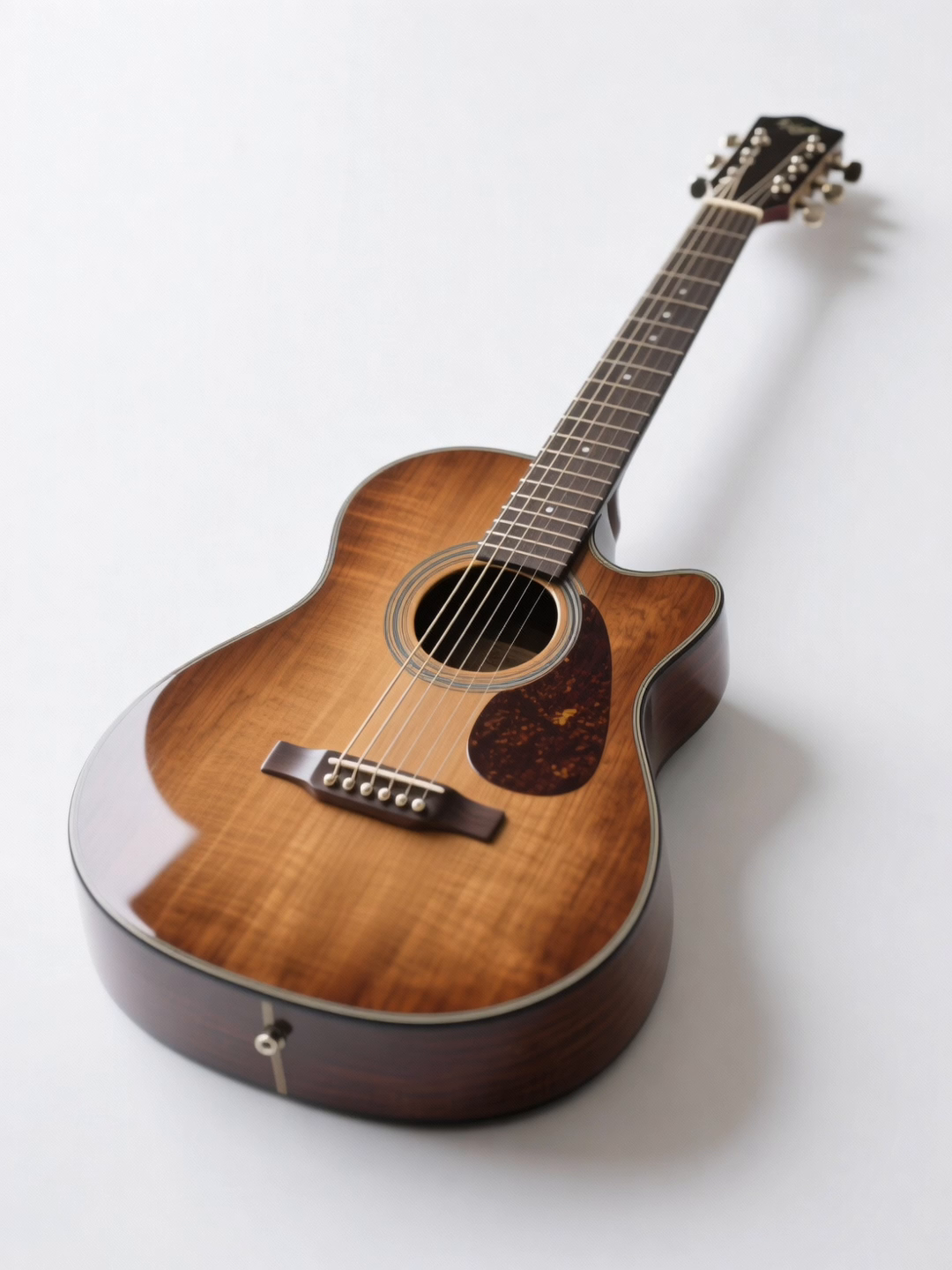 | Image | character3 (object) |
 | Image | character4 (background) |
Example: Two-character dialogue
Prompt: "character1 says to character2: 'I'll rely on you tomorrow morning!' character2 replies: 'You can count on me!'"
| Input | Type | Reference |
|---|---|---|
| compressed-video (1).mp4 | Video | character1 |
| compressed-video.mp4 | Video | character2 |
Sample code (curl)
All examples use the X-DashScope-Async: enable header to submit asynchronous tasks.
Step 1: Submit the task
<task-id> with the task_id from the Step 1 response.
Sample code (Python)
This example submits a multi-character task and polls until the result is ready.
Single-character performance
Create a complete character performance across different scenes from a single reference video or image -- personal branding, product endorsements, educational training, and more.
Supported models: All models.
Pass a single URL in reference_urls and use character1 in the prompt. Setting shot_type to multi is recommended.
Example: Holiday unboxing video
Prompt: "Create a festive holiday unboxing experience. Shot 1 [0-2s]: Character1 sits by a beautifully decorated Christmas tree with twinkling lights, holding a wrapped gift box with elegant red and gold wrapping. Shot 2 [2-4s]: Close-up as Character1 carefully unwraps the gift, revealing premium skincare products inside. Shot 3 [4-6s]: Character1 applies the product with delight, saying: 'This holiday glow is exactly what I wanted!' Shot 4 [6-10s]: Character1 admires their radiant skin in a handheld mirror, surrounded by festive decorations, ending with a warm smile to camera."
| Input | Output |
|---|---|
| wan-r2v-role-4.mp4 (reference video) | Multi-shot video with audio |
Sample code (curl)
Step 1: Submit the task
<task-id> with the task_id from the Step 1 response.
Silent video generation
Create visual-only videos without audio -- animated posters, silent short videos, and similar use cases.
Supported model: wan2.6-r2v-flash only.
Set audio to false.
Example: Silent dance video
Prompt: "character1 drinks bubble tea while dancing spontaneously to the music."
| Input | Output |
|---|---|
| wan-r2v-role-1.mp4 (reference video) | Silent video |
Sample code (curl)
Step 1: Submit the task
<task-id> with the task_id from the Step 1 response.
Output specifications
| Property | Details |
|---|---|
| Number of videos | 1 per task |
| Format | MP4 (H.264, 30 fps) |
| Resolution | wan2.7: Set by resolution + ratio. wan2.6: Set by size parameter (e.g. 1280*720). |
| URL expiration | 24 hours |
Response fields
| Field | Description |
|---|---|
output.task_id | Task identifier for polling status. |
output.task_status | PENDING, RUNNING, SUCCEEDED, or FAILED. |
output.video_url | URL to the generated video. Available when task_status is SUCCEEDED. |
output.orig_prompt | The original input prompt. |
usage.duration | Output video duration in seconds. |
usage.input_video_duration | Total duration of input videos in seconds. |
usage.output_video_duration | Output video duration in seconds. |
usage.video_count | Number of videos generated (always 1). |
usage.audio | Whether the output video has audio. |
usage.SR | Resolution tier (720 or 1080). |
Billing and rate limits
- For free quota and pricing, see Model invocation pricing.
- For rate limits, see Rate limits.
Billing rules
| Item | Billed? | Unit |
|---|---|---|
| Input images | No | -- |
| Input videos | Yes | Per second |
| Output videos | Yes | Per second |
| Failed tasks | No | Do not consume the free quota for new users |
wan2.6-r2v-flash has separate rates for each.
Total billed duration = Input video duration (capped at 5s) + Output video duration
How input video duration is billed
The 5-second cap is distributed evenly across all references (images and videos combined). Each video is billed for min(actual duration, truncation limit). Images are free.
| Number of references | Truncation limit per video |
|---|---|
| 1 | 5s |
| 2 | 2.5s |
| 3 | 1.65s |
| 4 | 1.25s |
| 5 | 1s |
min(video 1 duration, 1.65s) + min(video 2 duration, 1.65s). The image is not billed.
API reference
FAQ
How do I set the video aspect ratio?
wan2.7: Use the ratio parameter (16:9, 9:16, 1:1, 4:3, 3:4). When a first_frame image is provided, the ratio is inferred from the image.
wan2.6: Use the size parameter. Each resolution maps to a fixed aspect ratio -- for example, size=1280*720 produces a 16:9 video.
How do I reference characters in the prompt?
wan2.7: Use Video N or Image N identifiers. Images and videos are counted separately:
character1, character2, and so on -- the identifiers map directly to the order of URLs in reference_urls:
What happens when a task fails?
Poll the task status endpoint. If task_status is FAILED, the message field in the response describes the error. Common causes include invalid reference URLs, unsupported file formats, or exceeding rate limits. Failed tasks are not billed.